
Using Hermes Agent as a Discord bot to drive my 600-user server engagement
Hermes Agent gave my 600-user Discord server a more flexible way to handle engagement, recurring announcements, and everyday questions, while LightVela removed most of the VPS and terminal work needed to keep it online.
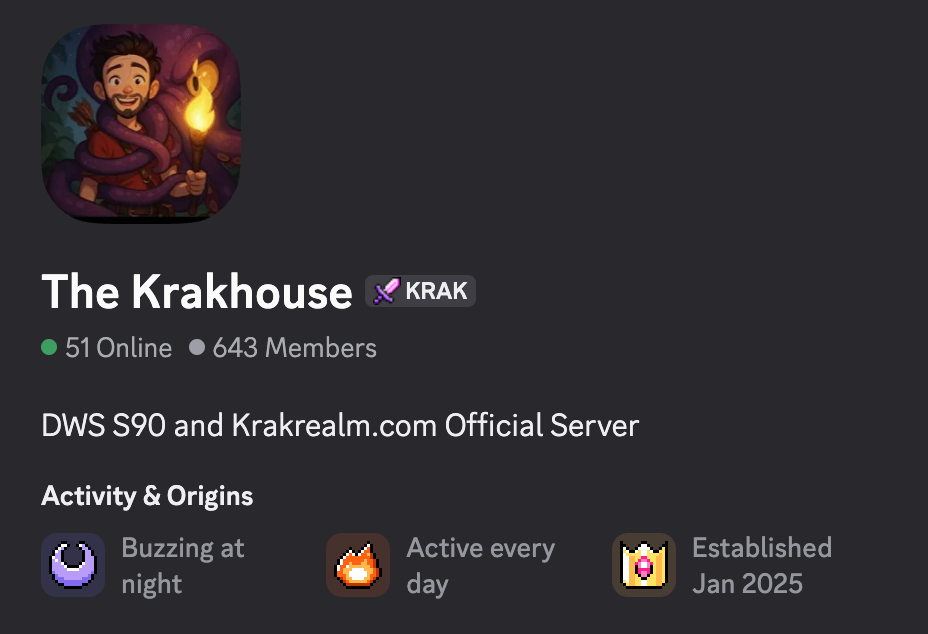
I host my mega Discord server with over 600 users, revolving around DWS, Minecraft, and Palworld. Two issues have always been the most daunting: engagement and moderation. If only an AI agent could live in my Discord server to drive both of these things...
From fixed-rule bots to an agentic bot
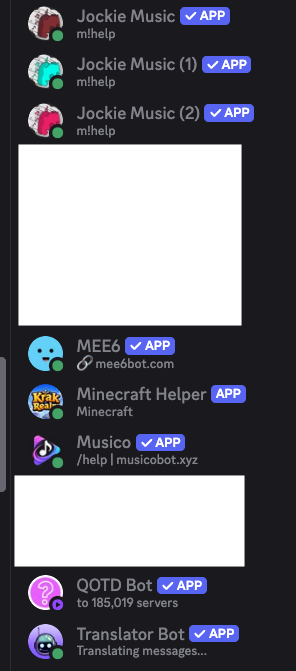
In the past, I downloaded pre-packaged Discord bots from sites like MEE6 and Dyno, or even started a VPS on Tencent Lighthouse to code my own bot instance. Recently, however, I have been yearning for a Discord bot that is not limited by fixed-coded rules, but instead powered by an LLM. My hope was for my bot to become an engaging digital staff member in my server: something that could send messages on its own, help answer questions, and still stay bounded by the context and fixed rules I implemented.
I have been testing with more than 20 bots now, each with its own strengths and weaknesses. I kept wondering whether there could be a bot that was all-inclusive, online 24/7, and empowered with an actual brain.
An agentic bot?
A bot is just a set of rules, so what about an agent? Obviously, I could not just ship Claude Code or Codex into my server because those are proprietary. The best starting point seemed to be the two tools that have been making waves in 2026: OpenClaw and Hermes Agent.
Although OpenClaw is well known for its mature ecosystem and high customization, I ultimately chose Hermes Agent because I was drawn to its persistent and evolving memory feature, scheduled automations, and Bot Mode designed around agents operating inside group chats. From my point of view, I wanted to create a bot that could emulate a real human, and I was comfortable with it growing and evolving over time.
Hosting the agent
Hosting really comes down to two options: localhost or a VPS. Running Hermes locally would give me full control, but my computer would need to stay online. A VPS would mean managing deployment, updates, tokens, and connection issues myself. I personally do not fancy chatting with the terminal, despite all the AI tools around.
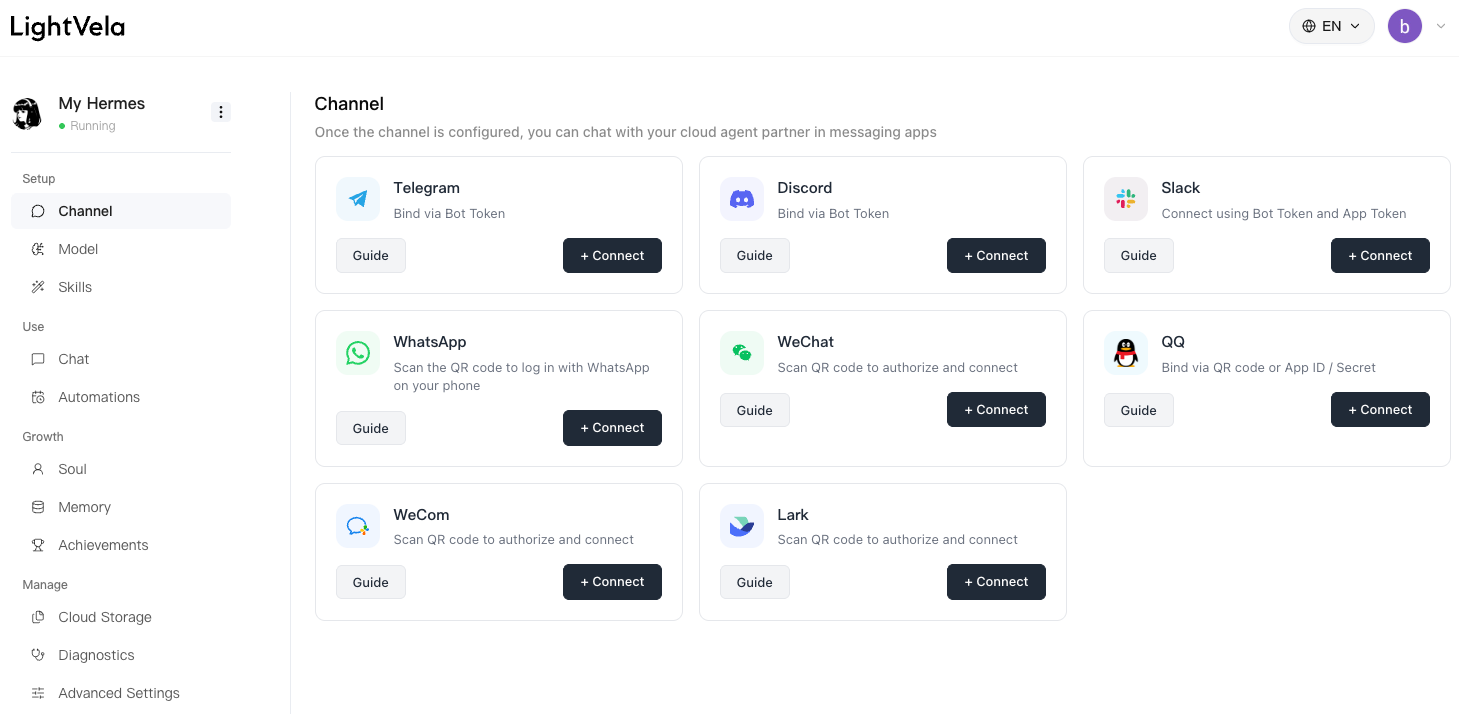
I then checked out a product everyone was talking about recently in the Discord community: LightVela. Having delved into its product documents, I found it was essentially a Hermes VPS that bypassed the complicated cloud-tooling and terminal-chatting steps. The site has a workspace where I can connect the bot to Discord, connect it with an LLM, and set automation rules.
Choosing the bot brain
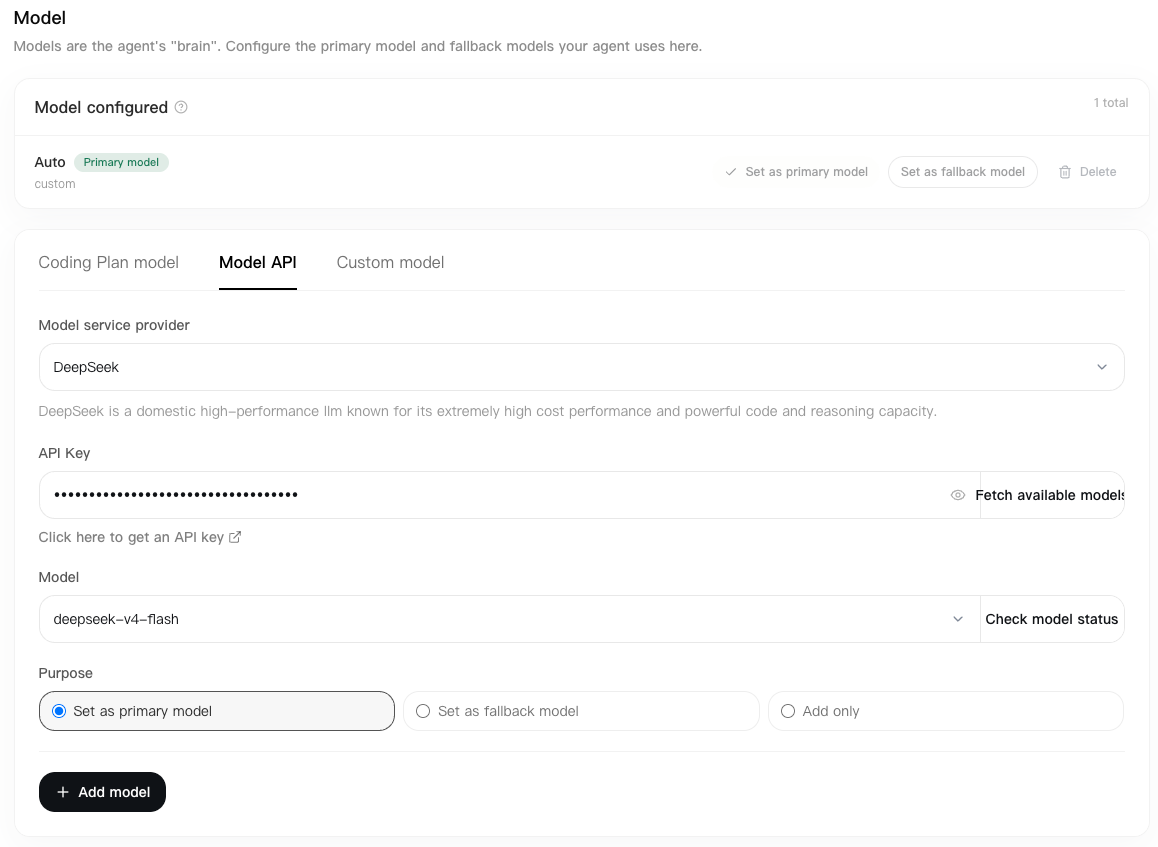
The next step was choosing which model should power the agent. LightVela lets me toggle between available models and enter the model I want to use, so I tested a few instead of assuming the most expensive option was necessary. For my Discord use case, DeepSeek V4 Flash was the cheapest model that still handled the server's Q&A, context, and routine messages well enough.
Connecting the bot
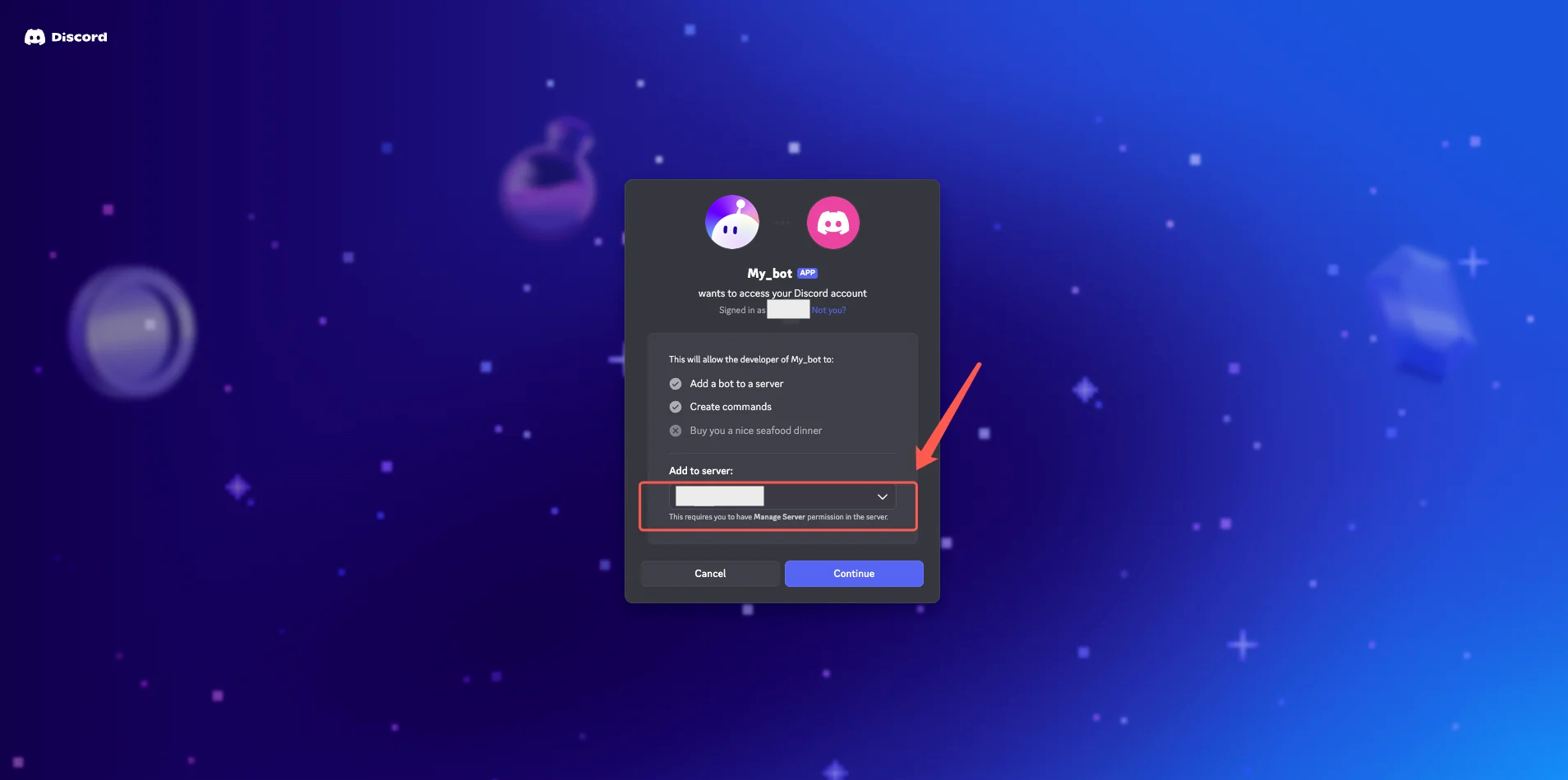
The site still requires you to visit the Discord Developer Portal. I recommend reading the LightVela Discord channel guide for the specifics. The rough steps are summarized below:
- Create a Discord application in the Discord Developer Portal.
- Add a bot, generate its token, and paste it into LightVela.
- Enable Message Content Intent. Add Server Members Intent only if member or role information is needed.
- Invite the bot with minimum permissions: View Channels, Send Messages, and Read Message History.
Overall, the connection appears more difficult than with the other channels, and some configuration around bot permissions and specific channel integration must be done directly in the portal. Hopefully LightVela can smooth the process and build it in-house soon, like MEE6 and Dyno have done.
Giving it tasks
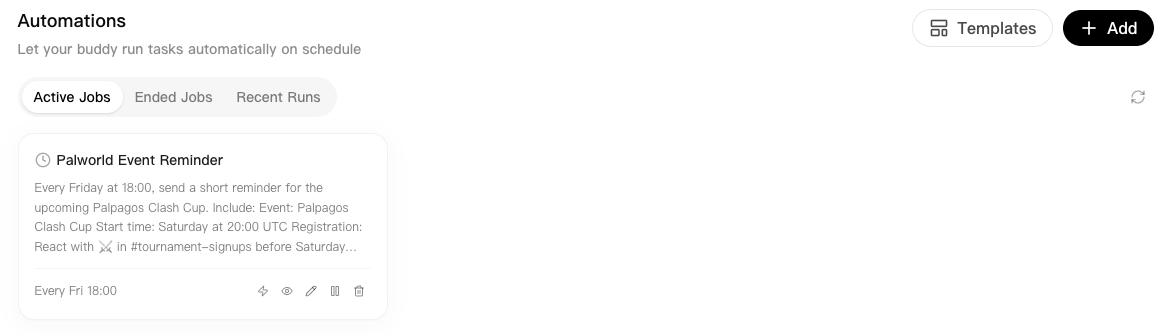
A feature I found useful was the ability to set automation tasks for my agent without delving into code. Since my server revolves around Palworld and we host a server-side tournament every Friday for all users, I used the automation feature to quickly enter the prompt and the time of operation.
Every Friday at 18:00, send a short reminder for the upcoming Palpagos Clash Cup.

Include:

Event: Palpagos Clash Cup
Start time: Saturday at 20:00 UTC
Registration: React with ⚔️ in #tournament-signups before Saturday 16:00 UTC
Questions: #tournament-help

Keep the message short and energetic. Use only the information above. If any event details are missing or outdated, notify a moderator instead of posting.
There are options to set the time of a task at fixed intervals or on specific dates. I set this one specifically for Friday on a weekly basis, triggered at 18:00.
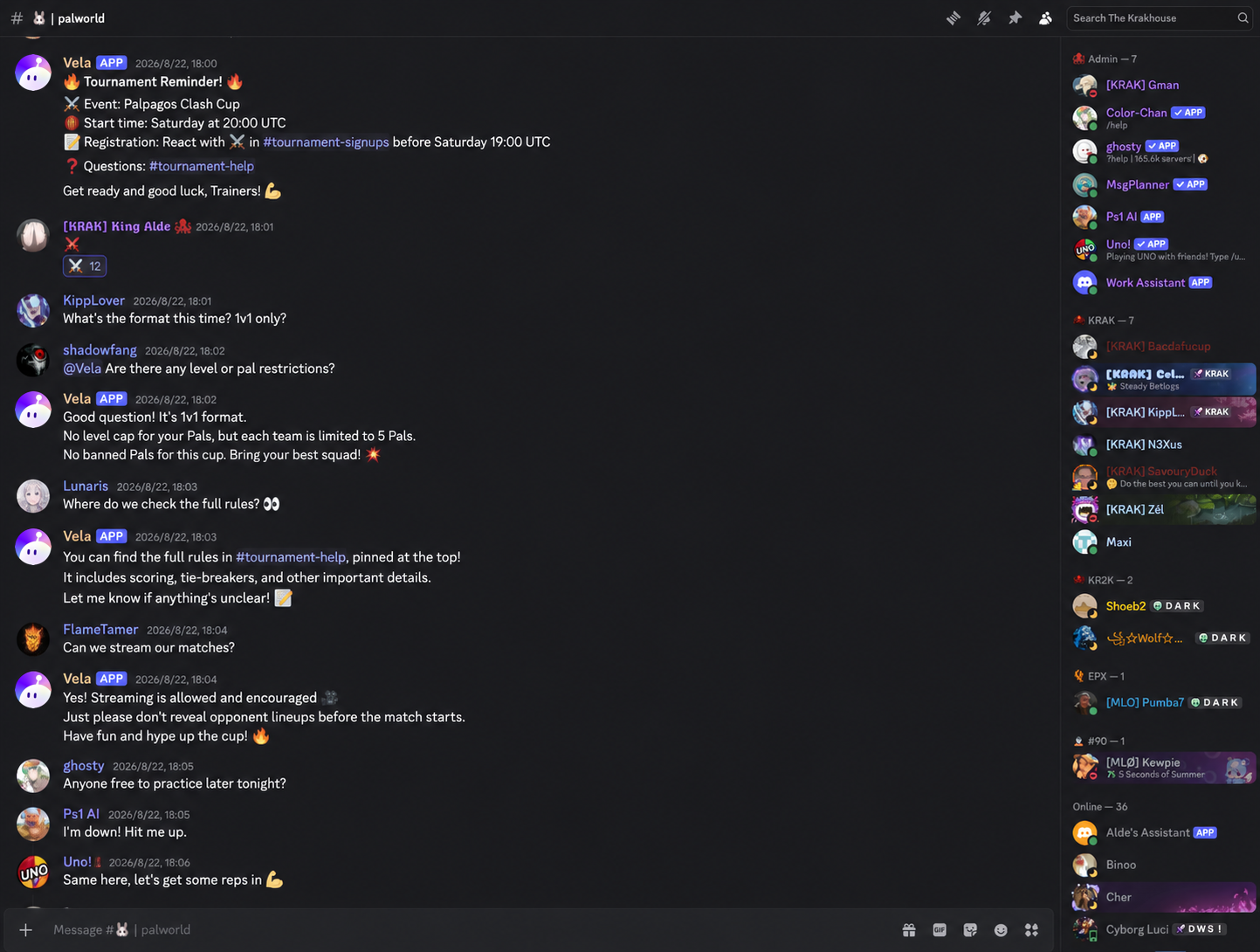
The automation then appears in my chat without consulting the bot to do so. Apart from that, I can @ the bot to engage with it directly. To manage token usage, I can limit the agent to specific chats. The bot is like an LLM that does the homework I set and lives in my chat as a personal assistant that can talk with me.
Sometimes I wonder whether I can set up multiple agents and have them converse with one another. That assumes I have an infinite token budget to spend, but given that I am using DeepSeek V4 Flash rather than Opus 5.0, it would still be quite affordable.
Bot personalities!?
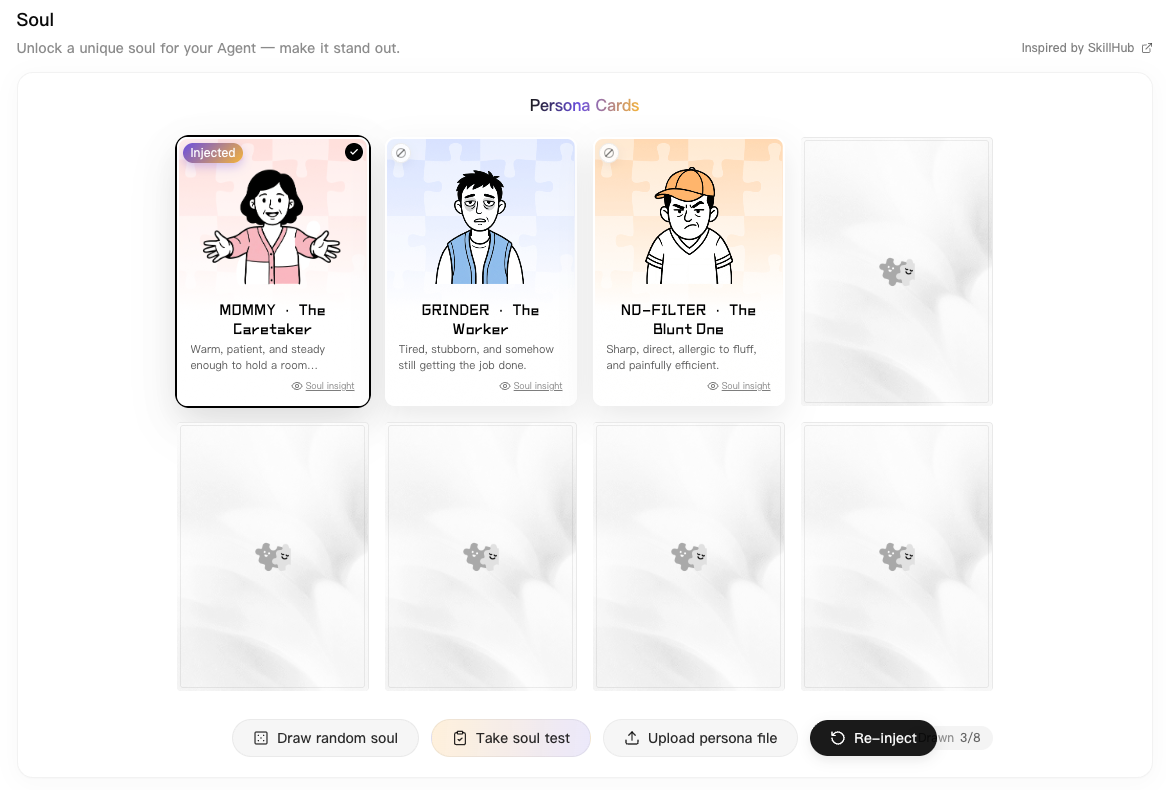
Bot personalities sounded fun, especially in the form of a soul. It is essentially a soul.md file that guides the agent to behave as instructed. The choices offered were fairly rudimentary, akin to a replica of the MBTI system. LightVela does have the option to upload my own persona files, which gives me more room to personalize the bot.
My thoughts on LightVela
The product delivers a more sandboxed environment for customizing agents that are supposed to live in an instant messaging app, whether that means conversing with me or acting as a support buddy in a group chat. The group chat feature is, in my opinion, the real selling point. If an agent is purely one-to-one, I would rather use ChatGPT.
Areas of improvement
- A context-uploading space where I can easily customize the knowledge base of my agent.
- Build the bot-development steps in-house, such as inviting Vela directly into Discord and customizing it in the workspace, instead of requiring a separate Discord Developer Portal setup.
- Build more non-LLM-based rules customized for the Discord use case, such as polling, word monitoring, and punishment rules. Engaging with the bot through an LLM is fun, but some moderation steps are better handled without one.
- Add the ability to spin up more mini-bots, each with independent contexts, that can converse with each other in one Discord server.
In the end, after some playtesting, I feel there will ultimately be limits to LLMs and agents. The master bot I envy would be a mixture of generative AI power to drive natural conversations, with room for fixed rules to drive actionable tasks. Perhaps the combination of LightVela and MEE6 would be the ultimate golden goose.