
How to Keep a Hermes Agent Online 24/7
Summary
Hermes Agent runs in the cloud, so your local computer can be switched off. Availability depends on a running instance and a working model with sufficient quota. Scheduled tasks run work at chosen times; they are optional. Verify availability by sending a real message and use Diagnostics logs when replies fail. Web Chat works without a connected messaging channel. Use an online Bot with available plan model credits or a configured model with quota. Connect a messaging channel only when you want to use that app or deliver task results there.
Who this is for
Use this pattern if you want an assistant that you can reach from your phone, a team channel, or the console without keeping a computer running. It is also a good fit for scheduled routines such as a daily briefing, a reminder, or a recurring status check.
Being online is not the same as being unattended. You should still choose trusted skills, review recurring instructions, and check that the model and channel continue to work as expected.
Prerequisites
-
A running Hermes Agent in your LightVela console. The Quickstart covers account setup and first creation.
-
A working model configuration or available trial credits. Hermes needs a model before it can generate replies.
-
Web Chat works without a connected messaging channel. Use an online Bot with available plan model credits or a configured model with quota. Connect a messaging channel only when you want to use that app or deliver task results there.
-
An optional recurring task if you want Hermes to do more than wait for messages.
Steps / key concepts
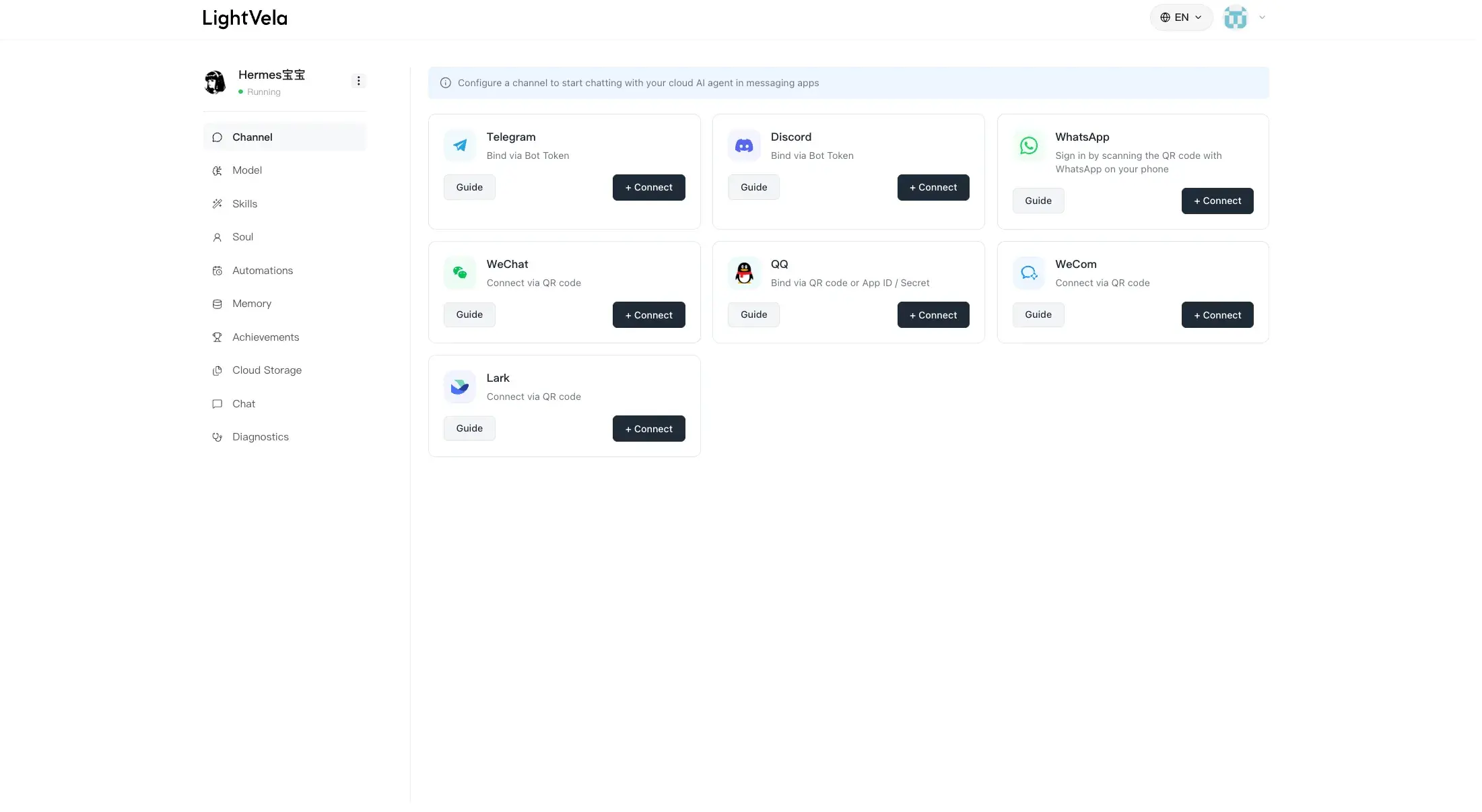
1. Make the Agent reachable from a channel you actually use
Choose one channel as your default way to contact Hermes. For personal use, the best choice is usually the app you already check several times a day. Connect it, send a short test message, and make sure Hermes replies before adding more setup.
Detailed instructions are available for Telegram, WhatsApp, Discord, Slack, and WeChat.
2. Keep the working configuration simple and visible
The important pieces are the active model, connected channels, installed skills, and memory. You do not need to change them often, but it helps to know where they live when a reply does not arrive or a task needs new capabilities.
Use Configure Models to verify the active model, and keep a note of the provider or trial-credit situation. If you install skills, add only the ones needed for a real workflow and review them in Configure Skills.
3. Use memory to keep the assistant continuous
An always-on assistant becomes more useful when it does not start from scratch. Tell Hermes the preferences and work context that you want to carry into future conversations, then review them from time to time in Memory Management.
For example:
Remember that I prefer updates in bullet points and that urgent work
should be labeled clearly.
This lets a message sent from a different device or supported channel continue the same working relationship rather than beginning with a blank page.
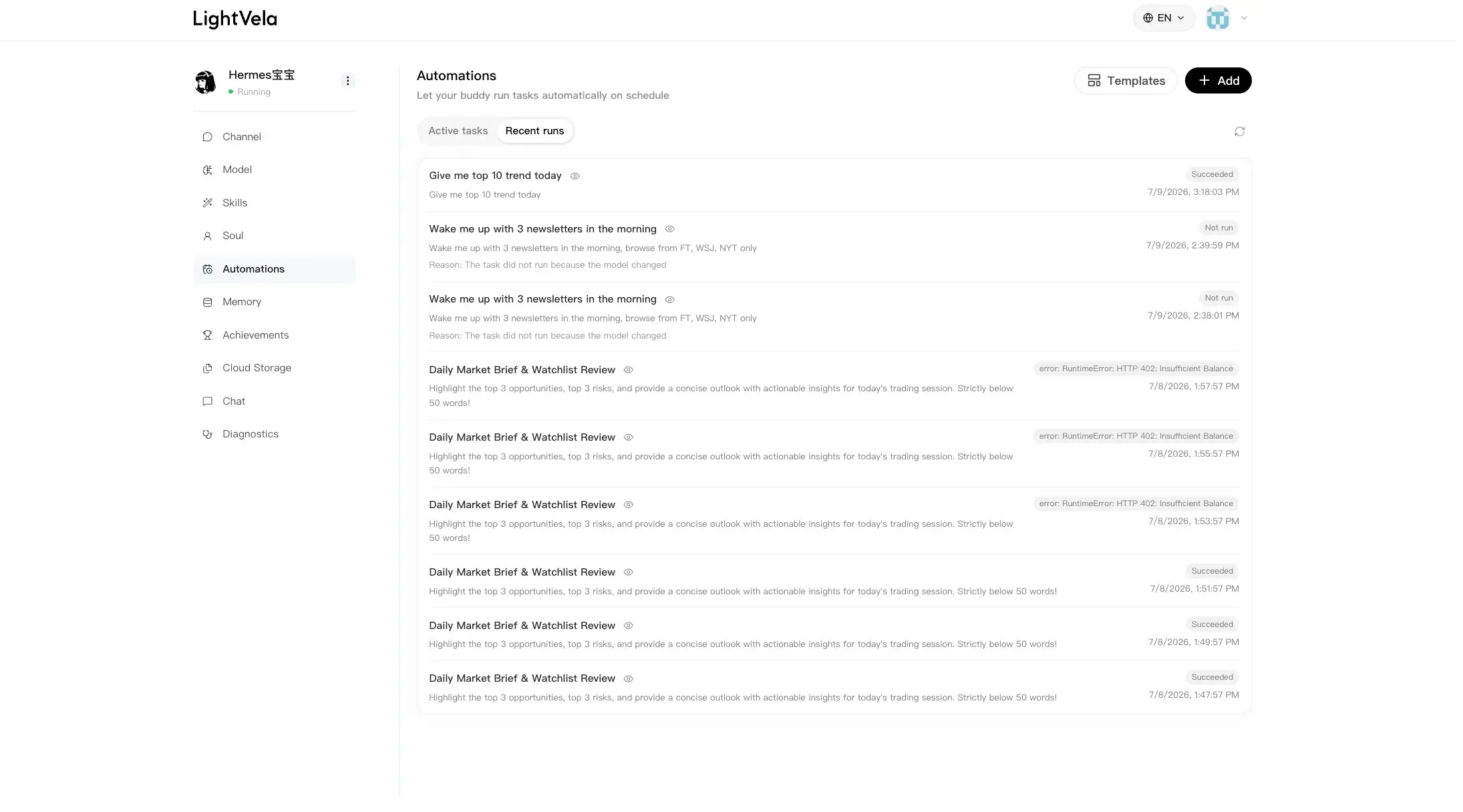
4. Add a scheduled task when availability should lead to action
An online Hermes can wait for your messages, but a small scheduled task lets it begin a known routine at the right time. Start with one task that has a clear success condition:
Every weekday at 8:30 AM, prepare a short briefing with today’s
calendar priorities, open follow-ups, and the first action to take.
Create the schedule in Scheduled Tasks, select a notification channel if appropriate, and check the first few runs. If the result is too broad, make the instruction more specific rather than adding another scheduled task immediately.
FAQ
Does Hermes need my laptop to stay on?
No. Hermes runs in LightVela’s cloud environment, so you can close your local device after the Agent and its channel are configured.
Why is Hermes online but not replying?
First verify the channel connection and the active model or trial-credit status. If you recently changed configuration, allow the update to finish, then send a simple test message again. The Diagnostics page can help with maintenance and recent logs.
Can I connect more than one channel?
Yes. Supported channels can point to the same Hermes Agent. They share the same Agent behavior and memory, so choose one default channel and add others only when they solve a real access need.
Is a 24/7 Agent safe to automate?
Use only well-scoped instructions and trusted skills. Begin with read-only or low-risk routines, review the output, and avoid giving a scheduled task authority to perform actions you would not want repeated automatically.
Next steps
-
Scheduled Tasks — schedule the work that should happen without a manual prompt.
-
Memory Management — keep useful preferences available across conversations.
-
Diagnostics — investigate a channel or model issue when Hermes is not responding.
Last updated 2026-10-19