
Meet LightVela for Discord: Your AI Agent Discord Bot Serving Your Channel
Summary
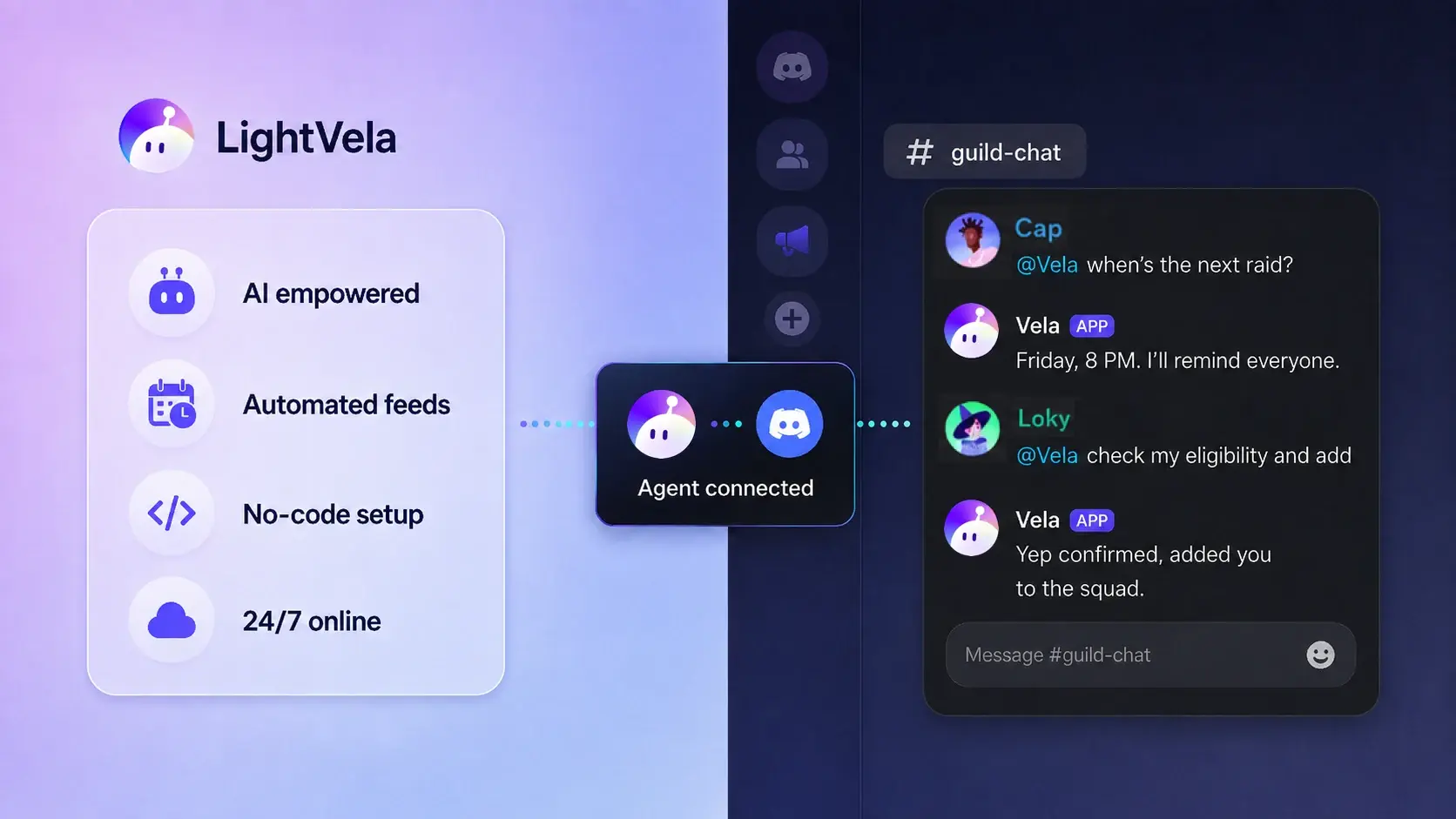
LightVela lets you connect a cloud-hosted Hermes Agent to Discord, give it approved community context and operating boundaries, and make it available for recurring questions, onboarding, and event support. The minimum path is to create an Agent, configure its instructions, connect the Discord channel, invite the bot, and test a real question in the supported Discord conversation.
Recent shared-agent products such as Claude Tag and Viktor show why an Agent can be more useful when it works where a group already communicates. LightVela brings that pattern to Discord communities without requiring you to build and host a separate bot application first.
Who this is for and expected outcome
This use case is for gaming communities, developer communities, interest groups, and event servers that want a reliable AI helper in the conversation space they already use.
The expected outcome is a well-briefed Discord Agent that can answer approved questions, point members to the right channel or event information, support onboarding, and send configured reminders when a Scheduled Task is appropriate.
It is not a replacement for human moderators. Sensitive moderation decisions, account actions, disputes, and anything outside the approved knowledge boundary should go to a human.
Prerequisites
-
A running LightVela Hermes Agent with a configured model.
-
A Discord account and a server where you have permission to add a bot.
-
Approved source material such as server rules, FAQs, event details, channel purposes, and escalation contacts.
-
A clear boundary for what the Agent may answer, what it must decline, and when it should escalate.
-
The Discord channel configuration guide and Scheduled Task guide available for reference.
Steps
1. Create the Agent before you invite the bot
Start with the Agent's role and outcome rather than with Discord credentials. The Discord bot is an entry point to Hermes, so the instructions and model configured in LightVela determine how it behaves after it is connected.
Write down the community's most common questions and the smallest useful answer for each one. For example, list the rules page, support channel, event schedule, registration process, and moderator escalation path.
2. Give the Agent approved community context
Configure the Agent with the information it is allowed to use and the boundaries it must follow. A useful starting instruction might look like this:
You are the community assistant for this Discord server.

Answer questions using approved information.
Help members find the right channel or event details.
Be friendly and concise.
Escalate sensitive moderation issues to human moderators.
Never invent rules, announcements, or event times.
If the approved information does not answer a question, say that you do not know and point the member to a human moderator.
Keep durable operating preferences in the Agent's configured context. Keep changing schedules, announcements, and event materials in the workflow where they can be reviewed before the Agent uses them. Do not place bot tokens, passwords, or unnecessary personal information in long-term context.
3. Connect Discord and invite the bot
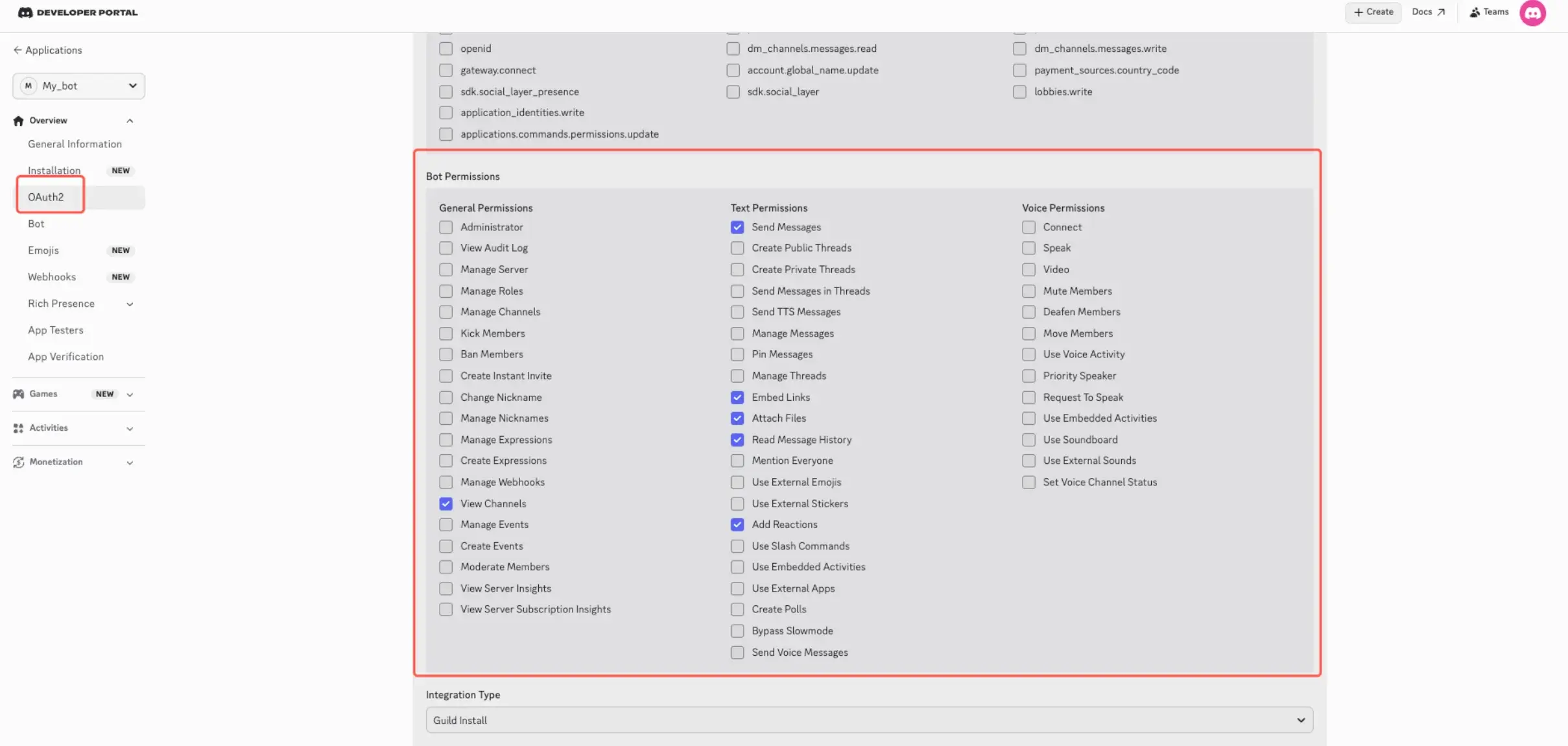
In LightVela, open the channel configuration and select Discord. Create or select the Discord Application, add a Bot, generate its token, and paste the token into the Discord connection card.
In the Discord Developer Portal, enable the Message Content Intent required for reading message content. Use the smallest set of bot scopes and permissions your server needs, such as viewing channels, sending messages, and reading message history. Then generate the invite link and add the bot to the intended server.
Follow the complete Discord setup steps for the current authorization and permission flow.
4. Test the Agent with real community questions
After the console shows Discord as connected, send a few representative questions from the supported Discord conversation. Use questions that test both useful answers and safe uncertainty:
Where can I find the event schedule?

Which channel should I use for technical support?

I am new here. What should I read first?

What is the rule for an issue that is not covered in the FAQ?
The expected result is not just a fluent answer. The Agent should use the approved information, keep the answer concise, avoid inventing a rule, and escalate when the question needs a moderator.
If the bot does not reply, first confirm the Discord channel shows as connected, the model is available, the bot has permission to read and send messages, and Message Content Intent is enabled.
5. Add recurring support only after the core path works
Once question answering is reliable, add a narrow Scheduled Task for recurring work such as a registration reminder, an event countdown, or a moderator summary. LightVela Scheduled Tasks support a one-time run, fixed weekdays, or fixed intervals, with an optional effective window and notification channels.
For example, you could configure:
Every Thursday at 18:00, remind the event channel about Saturday's tournament.
Use only the approved schedule and rules.
Include the start time, time zone, registration deadline, and the channel for questions.
If any detail is missing, say which detail needs a moderator update instead of guessing.
Start with one reminder and review its output before adding more scheduled work. See Scheduled Tasks for the available schedule and notification settings.
Practical checklist
| Stage | Action | LightVela component | Expected result or failure signal |
|---|---|---|---|
| Define | Write the community role, approved facts, and escalation rules | Agent instructions | A moderator can explain what the Agent may and may not answer |
| Connect | Add the Discord Bot token and invite the bot with least-privilege permissions | Discord channel | Discord appears as connected and the bot is present in the server |
| Test | Ask a known FAQ question and an unknown or sensitive question | Discord conversation | The first gets a grounded answer and the second is declined or escalated |
| Repeat | Add one reminder or summary with a narrow schedule | Scheduled Task | The message arrives in the selected notification channel at the expected time |
| Review | Check answers, schedules, and changed event information | Agent and Scheduled Task management | Stale rules and announcements are corrected before they cause confusion |
What a shared Discord Agent can help with
Answer the questions everyone asks
Every community repeats a small set of questions:
-
Where is the event schedule?
-
Which channel is for support?
-
How do I join the tournament?
-
Where are the server rules?
Members can ask the Agent in the supported Discord conversation instead of waiting for a moderator to be online. The answer stays consistent when the approved information is clear, and the Agent can say it does not know when the information is missing.
Help run events without becoming the event manager
Events create many small questions about registration, time zones, rule reminders, and last-minute changes. The Agent can handle the repetitive questions and deliver a configured reminder while organizers keep control of the source information and final decisions.
Give new members a better first hour
A new member can start with a simple question such as:
I am new here. Where should I start?The Agent can point them to the right channels, explain the approved community basics, and offer one next step. That makes the first interaction useful without asking the Agent to make moderation decisions.
Compared with coding a Discord bot from scratch
A custom Discord bot is the right choice when you need deeply bespoke commands or a product-specific workflow. It also means owning the application logic, credentials, deployment, and ongoing maintenance. LightVela starts with the Agent and lets you describe its behavior in the console.
| Standard coded bot | LightVela for Discord |
|---|---|
| Write commands and event handlers | Describe what the Agent should do |
| Store FAQs and rules in code or a database | Give the Agent approved context and boundaries |
| Build schedulers for reminders | Create Scheduled Tasks in the console |
| Deploy behavior changes | Update the Agent instructions and review the result |
| Maintain bot infrastructure and logic | Focus on community operations and moderation |
This does not make every custom bot unnecessary. It gives a community a practical way to launch a useful Discord Agent before building an entire bot product.
Validation and boundaries
Verify the scenario with at least one known question, one missing-information question, and one sensitive moderation question. Review whether the Agent uses the approved answer, admits uncertainty, and escalates rather than improvising.
The Discord setup guide documents Bot authorization, server and channel interaction, message-content access, and proactive messages at the channel layer. It also documents a current limitation around group-chat support. If your rollout depends on broad member mentions or a specific multi-user conversation mode, confirm that behavior in the target server before public launch.
Human moderators remain responsible for bans, abuse reports, disputes, policy changes, and announcements that have not been added to the approved context.
FAQ
Do I need to code a Discord bot?
No for this use case. You configure Hermes in LightVela, connect the Discord channel, and invite the resulting Bot to your server. Custom code is still appropriate for highly specific commands or workflows that LightVela does not provide.
Can the Agent answer questions about server rules?
Yes, when the rules are included in its approved context and the prompt tells it not to invent or override them. Have it point members to a human moderator when the rule is unclear or the issue is sensitive.
Can it send event reminders automatically?
Yes, the Discord channel documentation lists proactive messages as supported at the channel layer. Use Scheduled Tasks to define the schedule, task instructions, effective window, and notification channel.
Should the Agent make moderation decisions?
No. Use it for explanations, routing, reminders, and summaries, while human moderators retain authority over enforcement and sensitive cases.
Conclusion
Create the Hermes Agent, give it approved community context, connect Discord, invite the bot, and test it with real questions before adding Scheduled Task. That sequence turns a private AI Agent into a useful community-facing helper while keeping the server's rules, permissions, and human escalation boundaries under your control.
For a more focused version of this pattern, see Empower your Discord Event Bot with AI-Agentic Capabilities.
Last updated 2026-08-21