
Automating Agent Task with LightVela
Summary
Agent Tasks run a model-backed workflow on a schedule and deliver the result through a connected channel. Use them for recurring work such as a morning brief or weekly project review. Configure an instruction, schedule, optional Skills, and delivery destination.
Scheduled tasks is the perfect application for cloud-hosted agents as it can run 24/7 without requiring you in the loop. It can be used when you have a recurring information problem that can be improved with a repeatable workflow. Users have used it for morning digests, which turns scattered updates into a short briefs; some also created weekly project reviews that summarizes recent activities for follow-up meetings.
Common problems that agents can solve
Most of us already have too much information. Furthermore, some useful information arrives at the wrong time, in the wrong format, or without enough context.
- A few links arrive in a chat.
- A project update gets buried in a document.
- A decision is mentioned once and then forgotten.
- By the time you have time to review everything, the information is no longer useful
In LightVela, you can configure an Agent task with an instruction, schedule, optional Skills, upstream task output, and a delivery channel. The Scheduled Tasks documentation explains the available scheduling patterns and configuration options.
Case 1: Start the day with a useful brief
Every weekday at 9:30 AM, an Agent task turns the latest output from a configured source or upstream collection task into three useful updates.
Prompt:
Collect up to 5 important updates, summarize them, include links, and send the result.
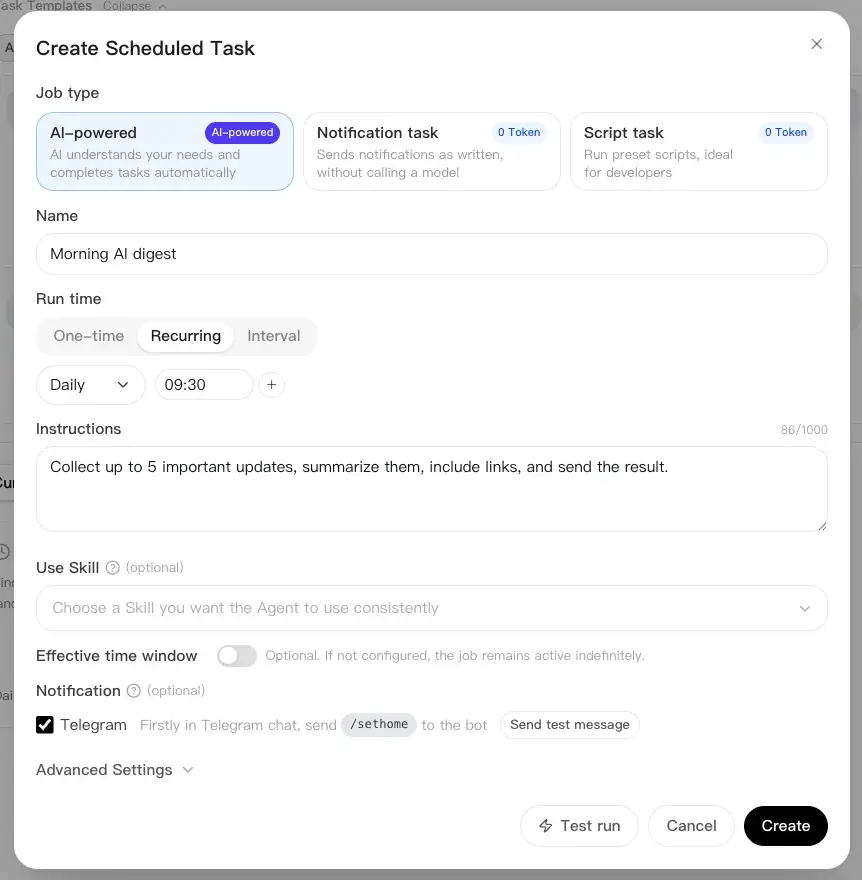
The key is to ask for a focused brief, not a summary of “everything.” If information collection and summarization are separate tasks, schedule collection first.
Case 2: A Friday Project Review
Every Friday, an Agent task turns the latest project updates into a short review.
Prompt:
Use an upstream task’s collected notes, then identify completed work, blockers, and the next 3 priorities.
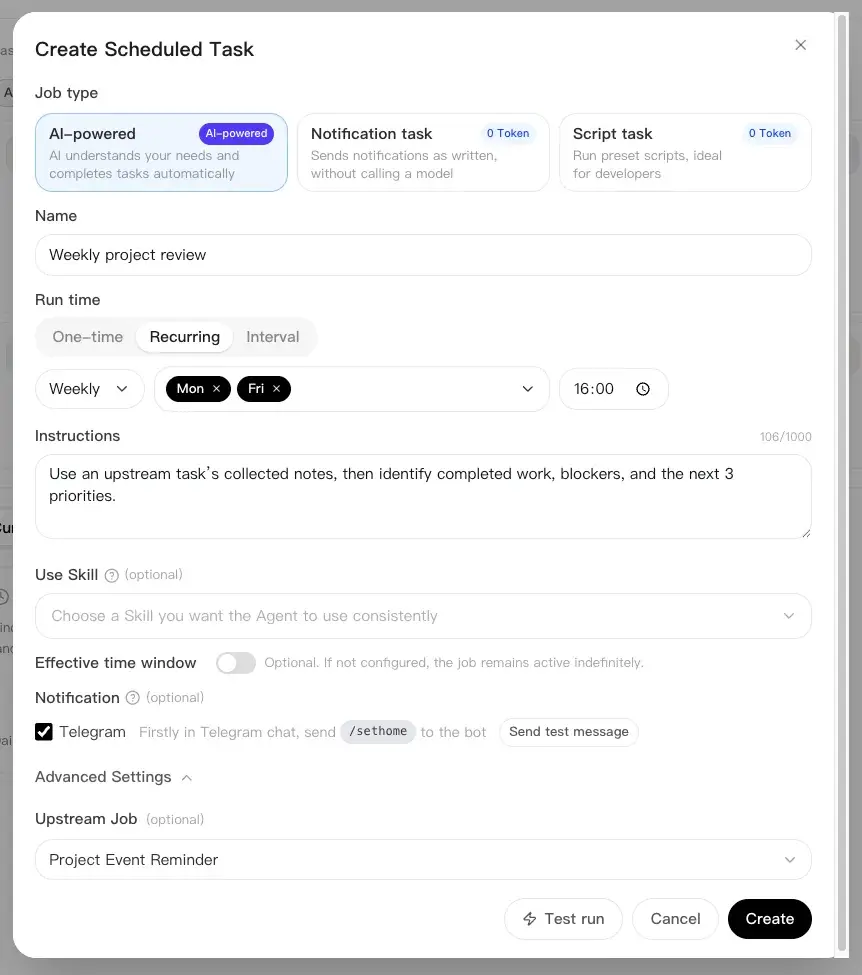
Run the collection task before the review, with a small time buffer. The Agent does not replace project management. It creates a reliable starting point for the weekly discussion.
Updating me directly in IMs
LightVela allows you to connect your agent to WhatsApp, Telegram, WeChat, Discord, and more. You can connect to one, or all of it at the same time. In scheduled tasks, you can toggle your respective IM's notification setting to decide whether to alert the task to your IM or not.
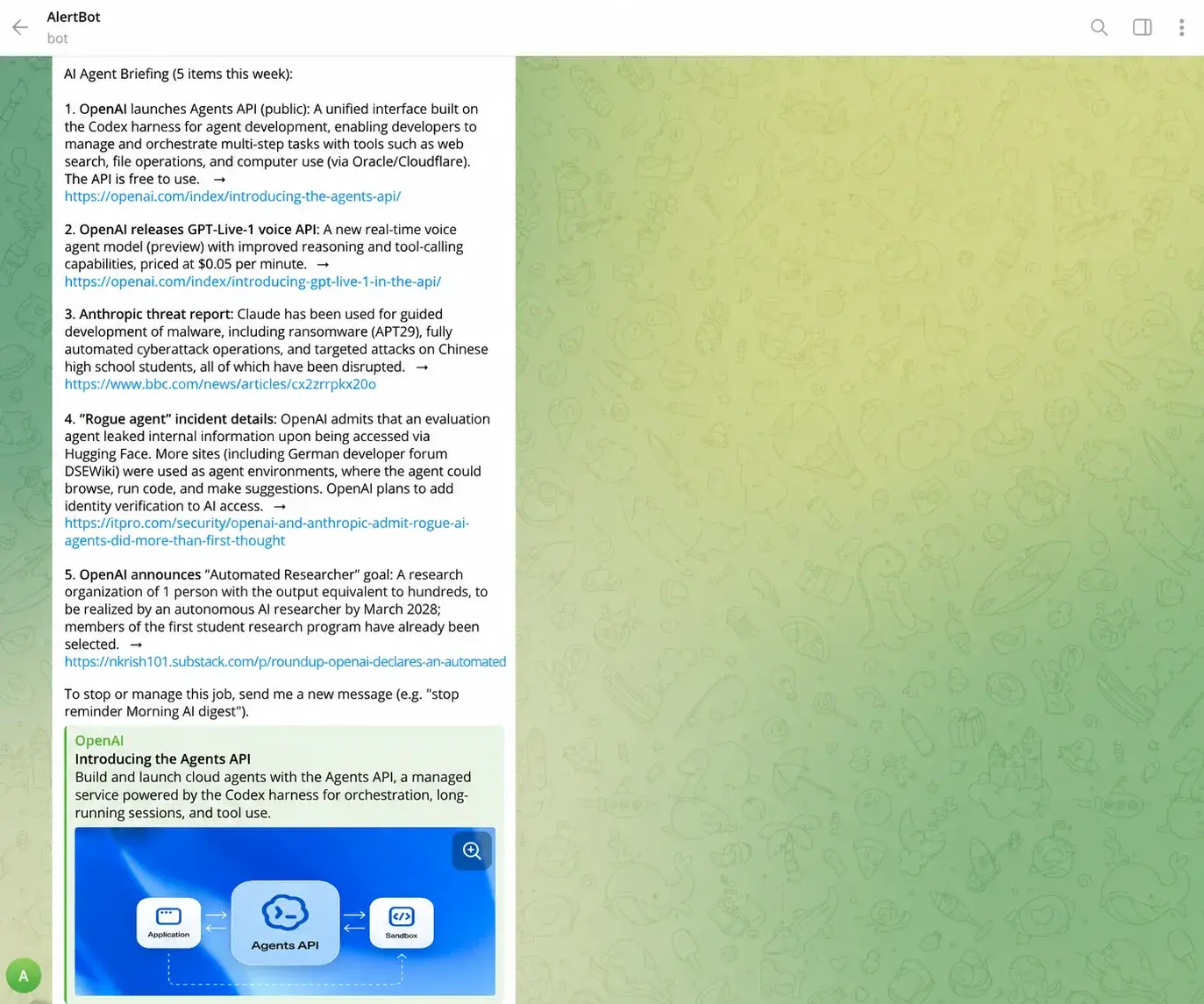
After toggling, your agent will completely your task and directly update you in your IM, without needing to directly open LightVela or any other app.
Managing multiple tasks
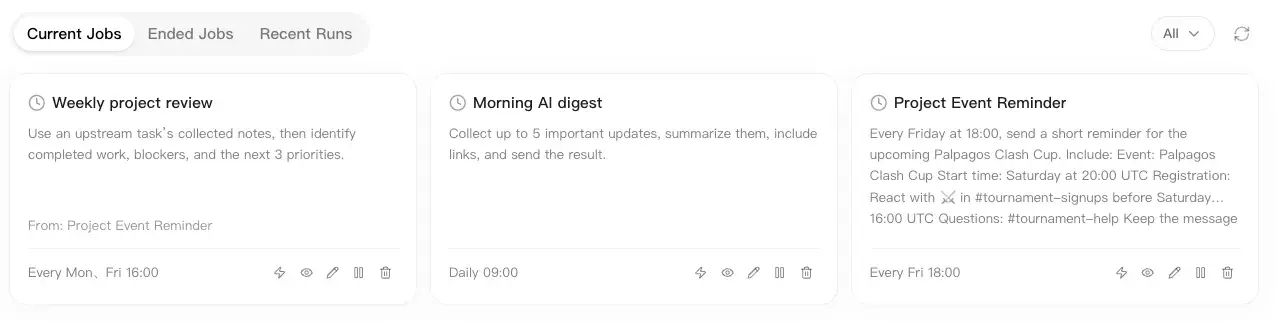
The current console allows up to 20 non-ended scheduled tasks per Bot. Paused tasks that have not ended also count. At the limit, delete tasks you no longer need; the task allowance is not unlimited. After you create them, you can edit, pause, and browse the past jobs that has been done. With LightVela, turn your personal Hermes agent into a super-efficient machine that runs your jobs whilst you're away.
Last updated 2026-10-19