
Running Script Task in LightVela
Summary
Script Tasks run Bash or Python on a schedule without calling an AI model or using model credits. Use them for predictable checks such as disk usage or missing export files; set the script, schedule, effective time window, and delivery channel.
Script tasks are a practical application for cloud-hosted agents because they can run Bash or Python scripts on schedule without calling an AI model. They can be used when you have a recurring system check with clear, predictable rules. Users have used them for disk usage alerts; some also created checks that detect missing or outdated files.
Common problems that scripts can solve
Many small system problems can be detected with a simple check. However, these checks are often forgotten until something stops working.
- Disk usage grows without being noticed.
- A daily export stops generating new files.
- A backup file becomes outdated.
- A problem is discovered only after it affects other work.
In LightVela, you can configure a Script task with Bash or Python code, a schedule, an effective time window, and a delivery channel. The task does not call a model, so it does not consume model tokens. The Scheduled Tasks documentation explains the available scheduling and notification options.
Case 1: Disk Usage Alert
Every morning, a Bash Script task checks the available disk space and only reports when usage reaches 80%.
Script:
used=$(df -P / | awk 'NR==2 {gsub("%", "", $5); print $5}')

if [ "$used" -ge 80 ]; then
  echo "Disk usage alert: ${used}% used."
fi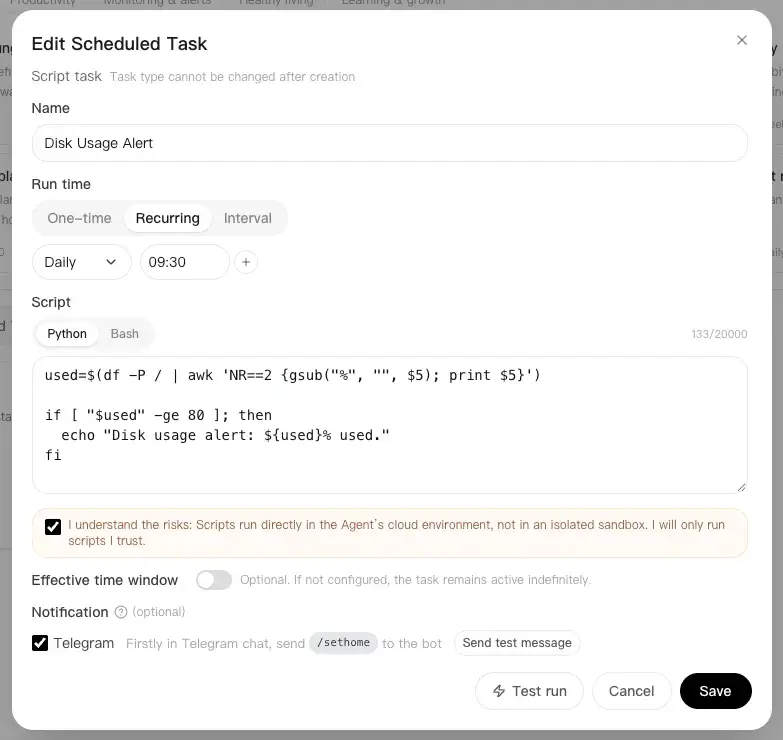
If disk usage is below the threshold, the script prints nothing and no notification is sent. This keeps routine checks quiet unless something needs attention.
Case 2: Missing or Outdated Export
Every weekday evening, a Python Script task checks whether the latest export file exists and has been updated within 24 hours.
Script:
from pathlib import Path
from time import time

file = Path("/path/to/latest-export.csv")

if not file.exists() or time() - file.stat().st_mtime > 86400:
    print("Export alert: the latest file is missing or over 24 hours old.")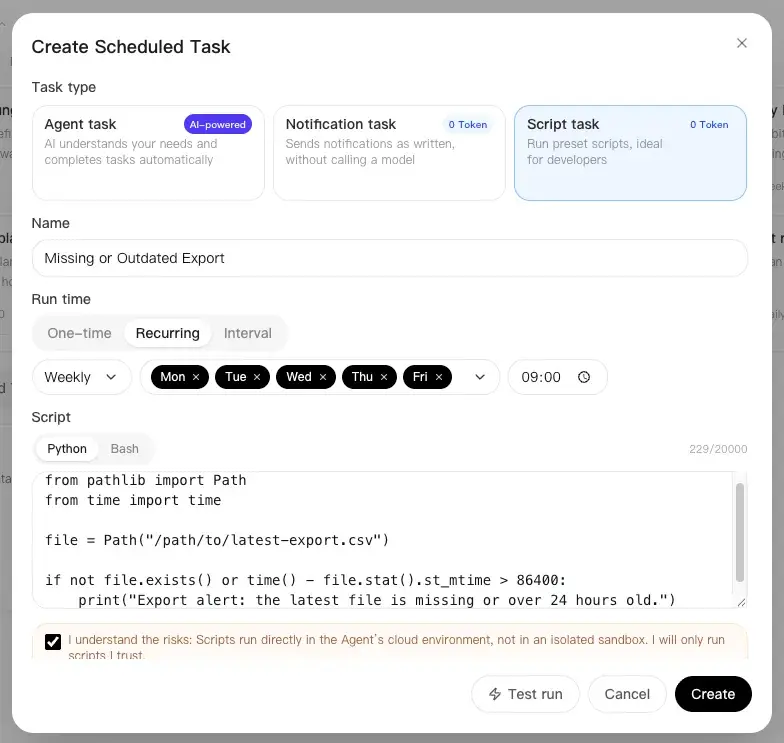
Replace the example path with the real export location. If the file exists and is recent, the script completes quietly without sending an unnecessary message.
Updating me directly in IMs
LightVela allows you to connect your agent to WhatsApp, Telegram, WeChat, Discord, and more through its channel configuration. You can connect to one or multiple channels at the same time. In Scheduled Tasks, you can toggle each configured channel to decide where script alerts should be delivered.
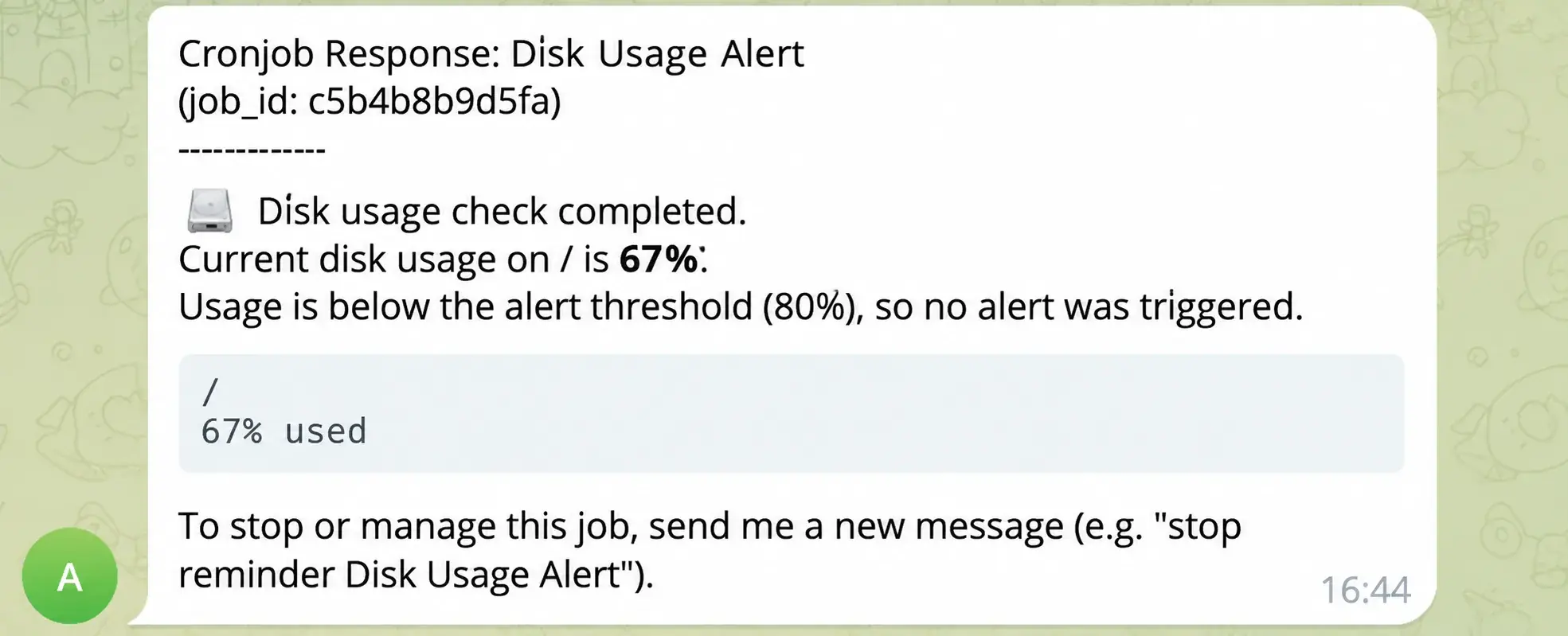
When the script produces non-empty standard output, Hermes sends that output directly to your IM. If the script prints nothing, the task completes without sending a notification.
Managing multiple tasks
The current console allows up to 20 non-ended scheduled tasks per Bot. Paused tasks that have not ended also count. At the limit, delete tasks you no longer need; the task allowance is not unlimited. After creating them, you can edit their scripts and schedules, pause them, and browse previous runs. Test every script before scheduling it, especially when it accesses important files.
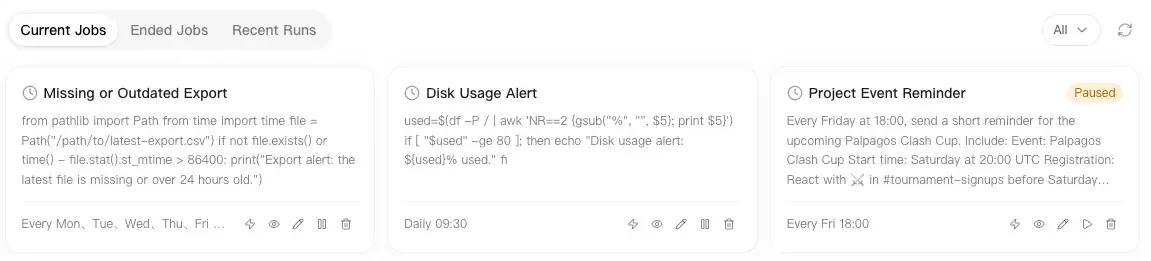
With LightVela, your personal Hermes agent can continuously handle predictable checks while you focus on other work.
Last updated 2026-10-19