
Empower your Discord Event Bot with AI-Agentic Capabilities
Summary
A Discord event bot becomes more useful when it can explain approved event information, answer repeat questions, support onboarding, and send scheduled reminders from one configured Hermes Agent. In LightVela, the practical path is to connect Discord, give the Agent an event brief and safety boundaries, test it against real participant questions, and add narrow Scheduled Tasks for reminders or summaries.
This pattern is best for recurring tournaments, raids, study groups, community launches, and other events where the same information must be repeated across many conversations.
Who this is for and expected outcome
This use case is for event organizers who spend too much time answering questions about dates, time zones, registration, rules, locations, and last-minute reminders.
The expected outcome is an event assistant that keeps answers consistent and helps organizers repeat the right information at the right time. It should reduce repetitive coordination work without becoming the source of truth for decisions that only a human organizer can make.
Prerequisites
-
A running LightVela Hermes Agent with a configured model.
-
A Discord server where you can add and configure a Bot.
-
A reviewed event brief containing the event name, dates, time zone, registration steps, rules, links, and contact channel.
-
A moderator or organizer who owns updates to the schedule and approves announcements.
-
The Discord channel configuration guide and Scheduled Tasks guide.
Steps
1. Turn the event brief into an Agent operating guide
Start by separating facts that the Agent may repeat from actions that require organizer approval. The first category includes the published start time, registration deadline, eligibility rules, and channel locations. The second category includes schedule changes, disputes, refunds, bans, prize decisions, and exceptions.
Give the Agent a concise operating guide such as:
You are the event assistant for this Discord community.

Use the approved event brief for dates, time zones, registration, rules, and channel directions.
Answer in short steps and include the exact time zone when discussing schedules.
Never invent a time, rule, registration status, or announcement.
If event information is missing or has changed, direct the member to the event organizer.
Escalate disputes, moderation issues, eligibility exceptions, and prize questions to a human.
Keep the event brief current. An AI Agent can make repeated answers easier, but it cannot make an outdated schedule correct.
2. Connect the Discord Bot and choose a narrow operating surface
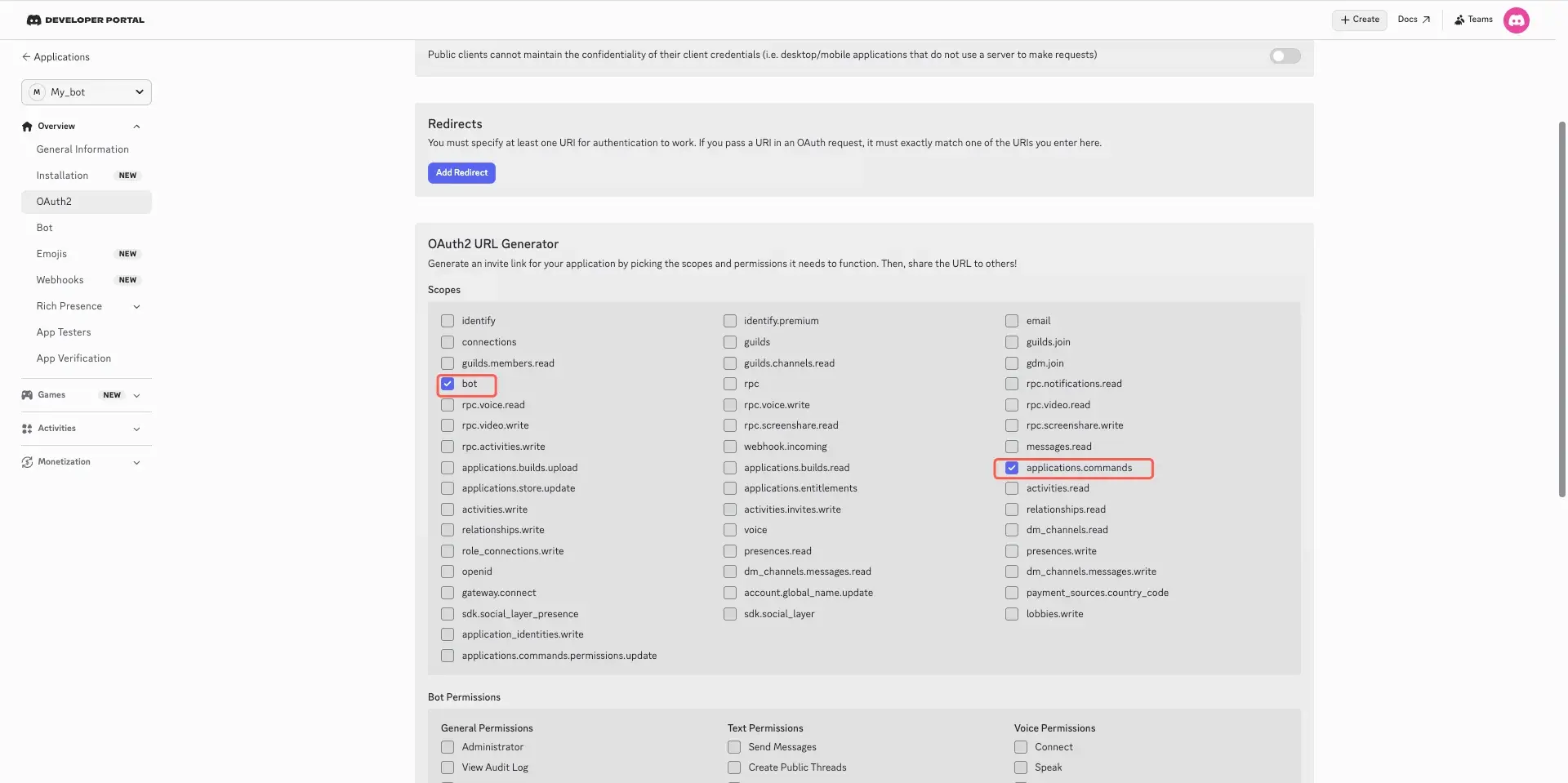
In LightVela, connect the Discord channel and complete the Discord Developer Portal authorization flow. Use the Discord setup guide to complete the setup:
-
Create the Bot.
-
Enable Message Content Intent.
-
Configure least-privilege permissions.
-
Invite the bot with minimum permissions: View Channels, Send Messages, and Read Message History.
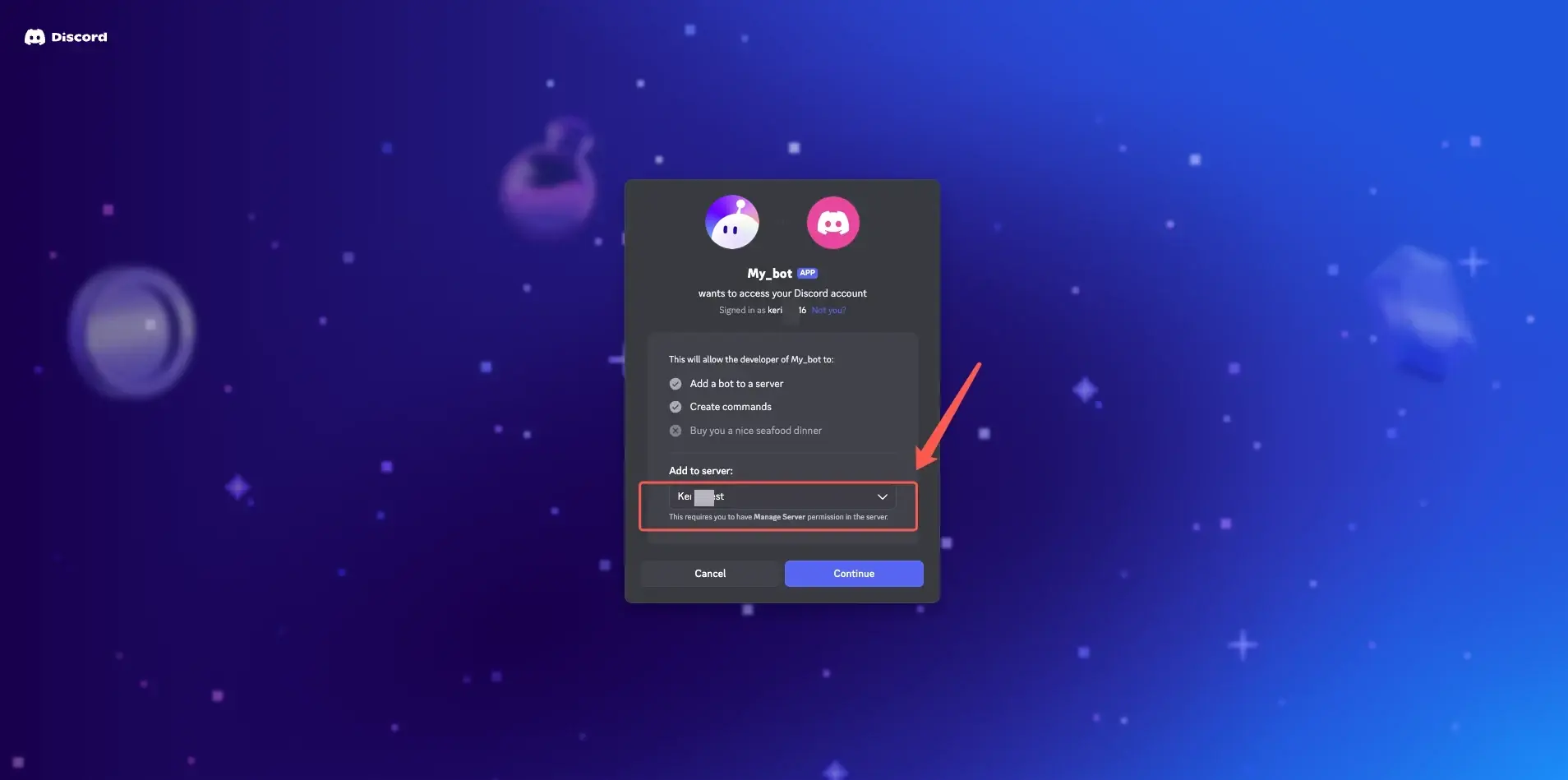
For the first rollout, choose one event channel or one supported Discord conversation and test there before expanding the workflow. This makes it easier to inspect answers, permission behavior, and notification delivery.
3. Test the questions participants will actually ask
Test the Agent with a small set of participant questions:
When does the tournament start in UTC+8?

What do I need to do before joining tonight's raid?

Where do I register and when does registration close?

The schedule changed. Can you announce the new time?
The first three questions should produce concise, grounded answers if the event brief contains the required information. The final question should not cause the Agent to invent an announcement or silently change the schedule. It should point to the organizer or the approved update process.
4. Use the Agent for participant support
Once the core answers are reliable, use the Agent for repeatable participant support:
-
Explain the event schedule in a participant's requested time zone.
-
Point new members to registration, rules, and support channels.
-
Summarize the steps required before joining an event.
-
Answer questions about published eligibility rules.
-
Route sensitive issues to a human organizer.
Example prompts might look like this:
@YourEventBot What do I need to prepare before tonight's raid?

@YourEventBot I am new here. Which channel has the tournament rules?

@YourEventBot Can you summarize the registration steps in three bullets?
Use the mention or conversation method supported by your target Discord setup. Do not assume that every server channel or group-chat mode has the same behavior.
5. Add scheduled reminders and summaries
Use a Scheduled Task when the event has a predictable cadence. LightVela supports one-time runs, fixed weekdays, and fixed intervals, as well as an optional effective window and notification channels. You can choose a fixed weekday, fixed interval, or one-time execution. You can also pause, edit, or delete a scheduled task later.
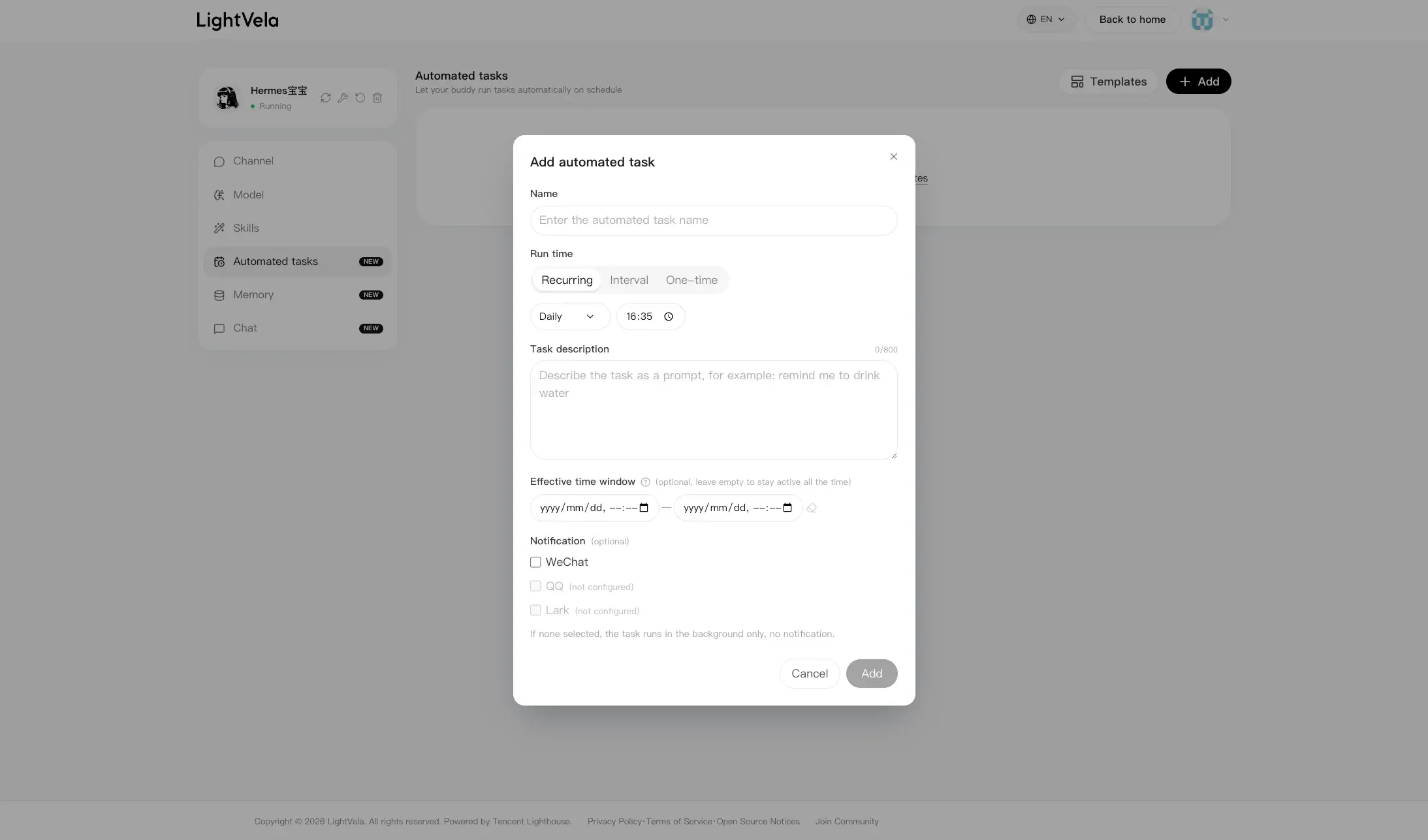
One day before the tournament, remind the event channel about the start time, time zone, registration deadline, and rules channel.
Use only the approved event brief.
If the brief is missing a detail, tell the organizer which detail needs review.
In this example, the bot is running the "Game tournament reminder" scheduled task.
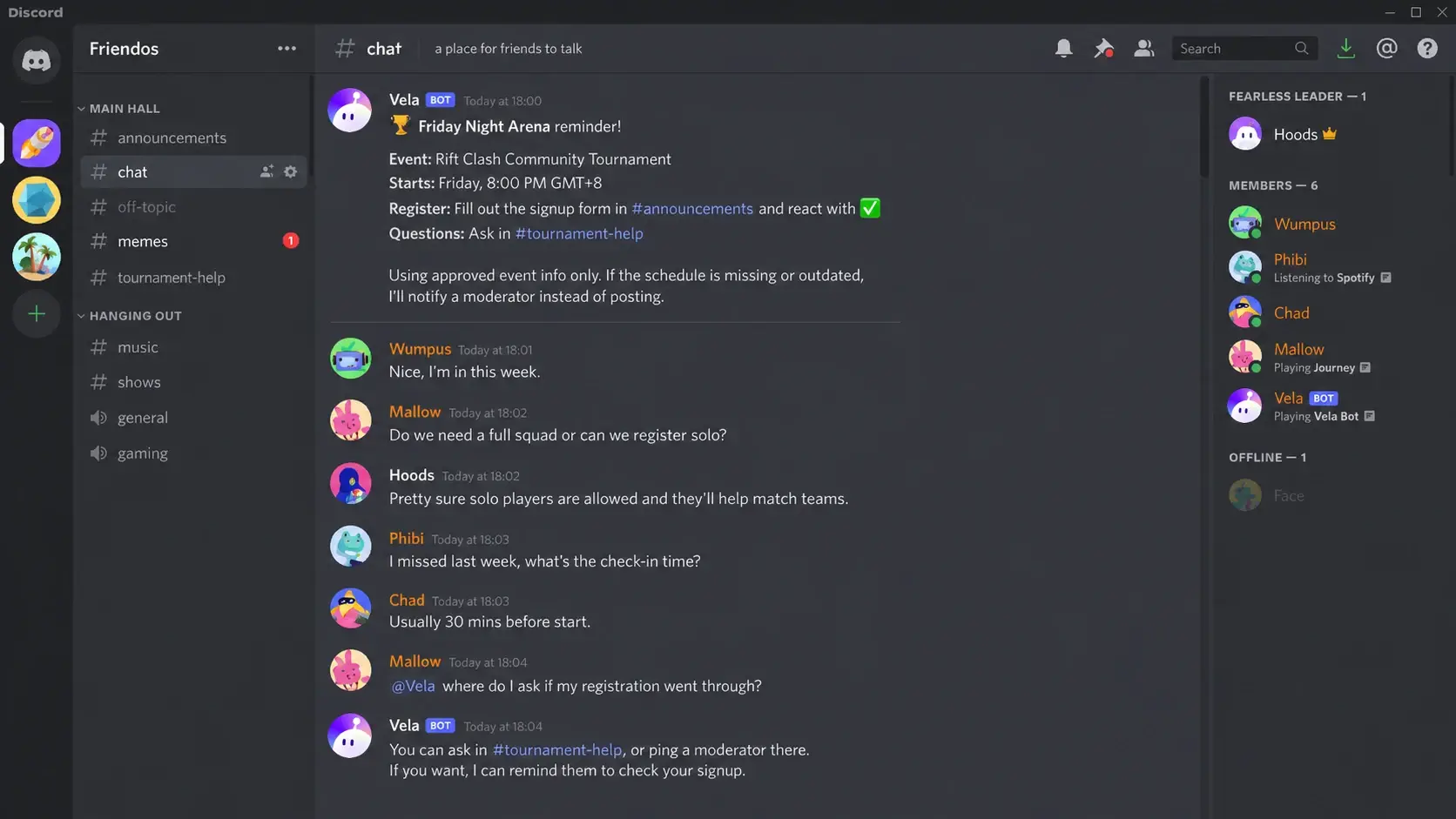
You could also schedule a post-event summary for organizers:
After the event, summarize the published results, unanswered participant questions, and issues that need moderator review.
Do not infer winners, penalties, or policy decisions from incomplete information.
Review the first scheduled output before adding a series of reminders. The Scheduled Task configuration guide explains where to set the schedule, task instructions, effective window, and notification settings.
Practical checklist
| Event stage | Action | LightVela component | Expected result or failure signal |
|---|---|---|---|
| Before launch | Add the reviewed schedule, time zone, rules, links, and escalation path | Agent context | Participants can get the same approved answer |
| Connection | Invite the Bot and test it in the intended conversation | Discord channel | The Bot replies and has only the permissions it needs |
| Participant support | Ask schedule, registration, and preparation questions | Hermes Agent | Answers are concise, specific, and grounded in the brief |
| Reminder | Schedule one pre-event message | Scheduled Task | The message arrives in the selected channel at the expected time |
| After the event | Generate a summary for organizers | Scheduled Task or Chat | The summary separates known results, open questions, and human follow-up |
Validation and boundaries
Validate the event workflow with four tests:
-
Ask for a known schedule detail and confirm the time zone is explicit.
-
Ask for a registration step and confirm the Agent points to the correct channel or link.
-
Ask about an intentionally missing rule and confirm the Agent admits that it does not know.
-
Ask for a schedule change or moderation decision and confirm the Agent escalates instead of deciding.
The current Discord channel documentation covers Bot authorization, server and channel interaction, message-content access, and proactive messages at the channel layer. It also notes a current limitation around group-chat support. Confirm the exact mention and multi-user interaction behavior in your target server before promising a broad @mention-based event assistant.
The Agent should not be trusted to approve participants, issue penalties, resolve disputes, announce unreviewed schedule changes, or handle secrets. Human organizers remain responsible for the event's official source of truth.
FAQ
Can the Agent answer event questions in different time zones?
It can explain a published event time when the event brief includes the source time zone and the participant provides a target time zone. Ask it to include both the original time and the converted time so participants can verify the result.
Can a Scheduled Task send a Discord event reminder?
Yes, the Discord channel documentation lists proactive messages as supported at the channel layer. Create a Scheduled Task with the reminder text, schedule, effective window, and notification channel, then test the first delivery before relying on it for a critical deadline.
Can the Agent update the event schedule by itself?
No. It should repeat the approved schedule and route proposed changes to the organizer. Update the event brief and review the next response before publishing a changed time.
Is this a replacement for a custom event bot?
Not always. LightVela is a good fit when the main need is natural-language Q&A, grounded event guidance, and scheduled communication. A custom bot may be better for deeply specific commands, database-backed registration, bracket management, or external ticketing workflows.
Conclusion
Give the Agent a reviewed event brief, connect it to Discord, test real participant questions, and add one narrow Scheduled Task for reminders or summaries. That sequence adds useful AI-agent behavior to an event bot while leaving event authority, policy changes, and sensitive decisions with the human organizers.
For the broader community pattern, see Meet LightVela for Discord: Your AI Agent Discord Bot Serving Your Channel.
Last updated 2026-08-21